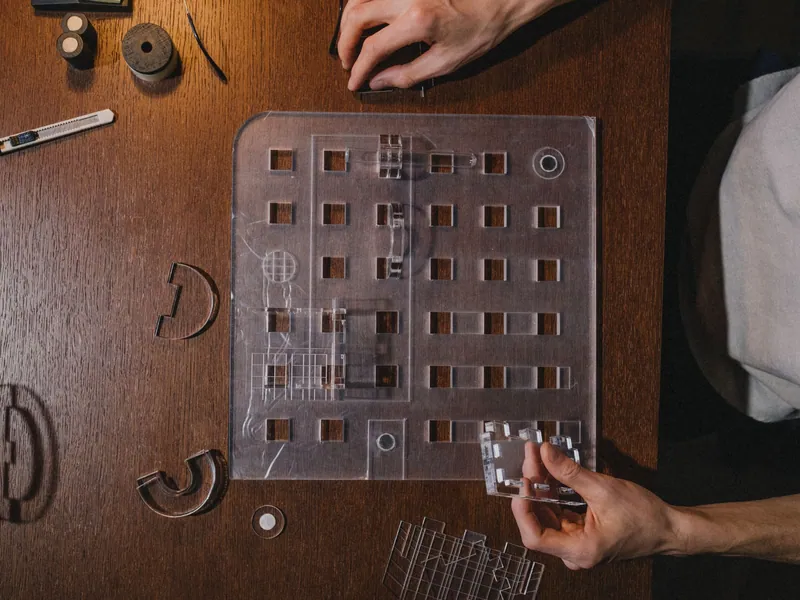
A laser will cut almost any flat shape you can draw, but a few habits decide whether the part comes out clean the first time. These are the design rules worth checking a drawing against: hole sizes, kerf, tolerance, spacing, corners, text and slot-and-tab fits. The numbers are typical values for the sheet we cut, not guarantees.
Laser cutting design rules at a glance
| Feature | Typical value or safe habit |
|---|---|
| Kerf (width of the cut) | About 0.1 to 0.3 mm in metal, a little more in acrylic and MDF |
| Tolerance on cut sizes | About ±0.2 mm |
| Smallest hole or slot in metal (MS, SS 304, aluminium, GI) | As wide as the sheet is thick |
| Smallest hole or slot in acrylic and MDF | Half the sheet thickness, at least 1 mm |
| Hole to edge, and between two cut-outs | 1 to 2 times the thickness |
| Inside corners | A tiny radius, never perfectly sharp |
| Cut-out text | Outlines only, with bridges on closed letters |
| Smallest piece | Under 10 mm across stays on a snap-off tab |
Laser cutting kerf and tolerance: how accurate is laser cutting?
Kerf
A laser does not cut a line of zero width. It burns away a narrow channel called the kerf, typically about 0.1 to 0.3 mm wide in metal and a little more in acrylic and MDF. The kerf grows slightly with thickness, and on thicker sheet the edge has a slight taper.
Draw your part at its true finished size, at 1:1, and do not add or subtract anything for kerf. Cutting programs normally shift the path so that the kerf falls in the scrap. Where kerf does matter is in fits between two laser-cut parts, covered further down.
Tolerance
A typical laser cutting tolerance is about ±0.2 mm on a cut dimension. That is plenty for brackets, base plates, panels, enclosures, frames and clearance holes for bolts. It is a typical figure, not a promise: heat, sheet thickness and the size of the part all move it a little.
Two things are outside the laser's control. The sheet itself is made to a thickness tolerance, so a nominal 3 mm sheet is rarely exactly 3.00 mm. And a cut edge is not a machined surface. If a hole must take a bearing, a dowel or a press-fit pin, cut it undersize and ream or drill it to size afterwards. If one dimension is critical for a fit, say so in the order notes.
Inside corners
Because the beam is round, a sharp inside corner comes out with a tiny radius, a fraction of a millimetre. Outside corners stay sharp. If a square-cornered part has to seat fully into an inside corner, add a small relief hole at that corner.
Minimum hole size, slot width and cut-out text
The rule of thumb in metal: no hole or slot narrower than the sheet is thick. A 3 mm hole in 3 mm mild steel is fine. A 3 mm hole in 6 mm plate is not: the pierce and the heat take up most of such a small hole, and it comes out rough, tapered or out of round. Acrylic and MDF are more forgiving, and holes can go down to about half the sheet thickness, though not below about 1 mm.
| Sheet | Thicknesses on the instant quote | Smallest hole or slot, thinnest to thickest sheet |
|---|---|---|
| Mild steel | 1 mm to 12 mm | 1 mm to 12 mm |
| Stainless steel 304 | 0.8 mm to 3 mm | 0.8 mm to 3 mm |
| Aluminium | 1 mm to 3 mm | 1 mm to 3 mm |
| Galvanised steel | 0.8 mm to 2 mm | 0.8 mm to 2 mm |
| Acrylic | 2 mm to 5 mm | 1 mm to 2.5 mm |
| MDF | 3 mm to 6 mm | 1.5 mm to 3 mm |
The quote page checks this for you: it warns when the narrowest hole or slot in a drawing is under the limit for the sheet you picked. You can then widen the hole, choose a thinner sheet, or leave the hole out and drill it after cutting. For a threaded hole, draw the tap drill size (5 mm for M6, for example) if it meets the rule, and tap it yourself. Tapping and countersinking are not part of the instant quote: ask through a custom quote.
Text and stencil bridges
Text in a drawing is stored as a font instruction, not as lines, and the quote page ignores it. To cut lettering, convert the text to outlines first: our DXF export guide shows how in each program.
Then look at the closed letters: O, A, D, B, P, Q, R and digits such as 0, 6, 8 and 9. Cut straight through, the middle of each one is a loose island that falls out. Either use a stencil font, or add small bridges that tie each island to the sheet. Make bridges at least as wide as the sheet is thick, and keep the strokes of the letters above the minimum slot width. Letters cut out as separate pieces, such as acrylic sign letters, need no bridges.
Spacing, thin webs, small pieces and heat
Material between two cuts is heated from both sides. If the strip is too thin it overheats, distorts or burns away. A safe habit is to leave one to two times the sheet thickness:
- between a hole and the edge of the part,
- between two holes or cut-outs,
- as the width of any bar, web or bridge, such as the bars of a jali pattern.
One thickness is the working minimum. Two gives a stronger part and a cleaner cut.
Small pieces and tabs
Very small pieces can tip or drop through the cutting bed. The quote page flags pieces under 10 mm across, and we leave those on a small tab that you snap off. The tab leaves a tiny nib that a file removes.
Heat on thin sheet and long strips
Laser cutting puts far less heat into the sheet than flame or plasma cutting, but not none. A dense pattern in thin sheet, such as a fine jali in 1 mm steel, can leave the panel slightly bowed. Long thin strips can also bow a little as stress in the sheet is released. Wider bars, a thicker sheet or a plain border left around the pattern all help. If flatness is critical, mention it in the order notes or ask through a custom quote first.
Slots and tabs for parts that fit together
Tabs on one part that drop into slots in another let an assembly locate itself for welding or gluing, with no jig. Two things decide the fit: the kerf, and the real thickness of the sheet, which varies a little from batch to batch.
- Draw the slot slightly wider than the nominal sheet thickness. For metal parts that will be welded, about 0.2 mm of extra width is a common starting point.
- Make the slot a little longer than the tab too. The clearance also takes care of the tiny radius in the slot corners.
- Test a push fit before a full batch. In acrylic and MDF there is no weld to take up a gap, and sheet thickness varies more, cast acrylic in particular. Cut one small test piece first.
- Do not rely on a press fit in metal. Plan on a weld, a bolt or an adhesive to hold the joint.
Edge quality by material
What the cut edge looks like depends on the material and the gas. Mild steel is cut with oxygen. Stainless steel, aluminium and galvanised sheet are cut with nitrogen. Acrylic and MDF are cut on CO2 lasers.
| Material | The cut edge |
|---|---|
| Mild steel | Square, slightly dark edge from oxygen cutting. Paint or powder coat it to stop rust. |
| Stainless steel 304 | Clean, bright, oxide-free edge from nitrogen cutting. Ready to weld without grinding. |
| Aluminium | Clean edge from nitrogen cutting, with a light burr on the underside of thicker sheet. |
| Galvanised steel | The cut edge itself is bare steel; the zinc on both faces protects it for most indoor and sheltered use. |
| Acrylic | Smooth, glossy, flame-polished edge straight off the laser. Sheets ship with their protective film on. |
| MDF | Dark brown, lightly charred edge. Sand and paint for a finished look. |
On metal, each cut also has a start point that can leave a small mark, and the underside of thicker sheet can carry a light burr. A file takes both off.
Check your design on the quote page
You do not have to check all of this by hand. Upload a DXF or SVG on the quote page: it measures the drawing, warns about holes narrower than the limit, very small pieces and open (unclosed) lines, and shows the price at once, inclusive of all taxes. After you order, a person checks every drawing before it is cut in Bengaluru, and the parts are couriered across India.
Pieces larger than 1000 × 600 mm, or anything that falls outside these rules, can go through a custom quote. For how thick each sheet can be, see the laser cutting thickness chart.
Ready to cut?
Upload your DXF or SVG for an instant price, inclusive of all taxes. A person checks every drawing, and we ship across India.
Frequently asked questions
Can a laser cut a hole smaller than the sheet thickness?
In metal it is not a reliable cut: a hole narrower than the sheet is thick tends to come out rough, tapered or out of round. Keep the minimum hole size for laser cutting equal to the thickness, and drill anything smaller after cutting. Acrylic and MDF manage about half the thickness.
What is kerf in laser cutting?
Kerf is the width of material the laser removes along the cut, typically about 0.1 to 0.3 mm in metal and a little more in acrylic and MDF. You draw the part at its true size and do not add anything for it. It matters mainly when two cut parts must fit into each other, where a little clearance is needed.
What tolerance should I design for in laser-cut parts?
Work to about ±0.2 mm on cut dimensions, which is a typical figure and not a guarantee. That suits bolt holes, brackets, panels and frames. For bearing seats, dowel holes and press fits, cut the hole undersize and ream or drill it afterwards.
What does the cut edge look like on each material?
It depends on the sheet. Mild steel gets a slightly dark edge from oxygen cutting, stainless steel and aluminium a clean edge from nitrogen cutting with at most a light burr underneath on thicker sheet. Acrylic comes out with a glossy edge, and MDF with a dark brown, lightly charred edge that can be sanded.